
Configure the Document
When creating a Document Embedder post, you will see the configuration area under the shortcode area. From there, you can configure the Document Embedder.
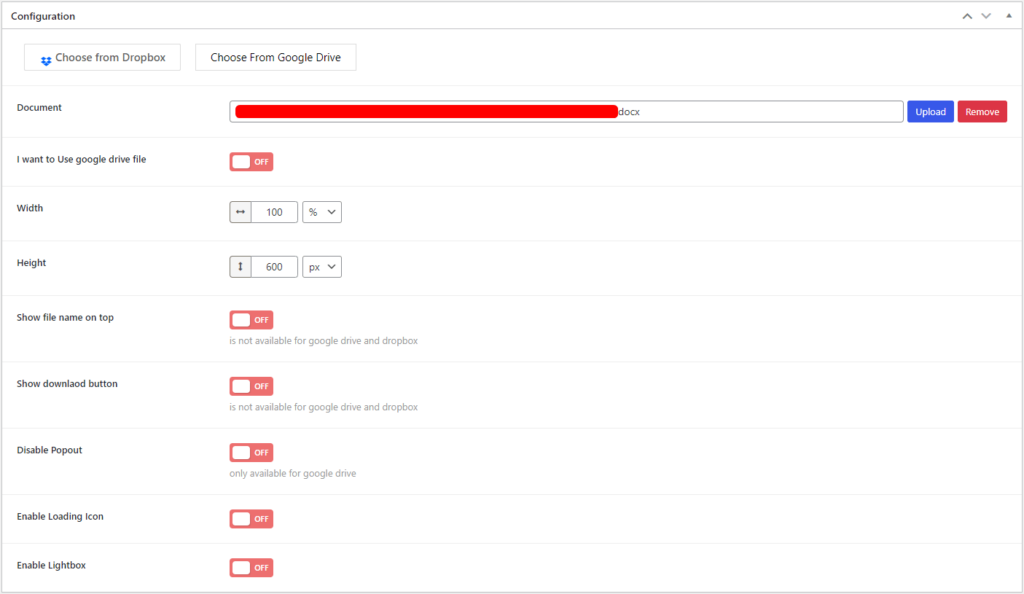
Document Embedder- Configuration
Sources
For the sources, upload a document file, or you can select a file from Dropbox or Google Drive. If you select a file from Google Drive, enable the “I want to use Google Drive” option.
Options
Change the various options of the Document.
- Set the Width and Height.
- Show/hide the File name on top, the Download Button.
- Enable/disable Popout, Loading Icon, and Lightbox.
Lightbox
Enable Lightbox to view the Document in a pop-up. You can change the Text, Color, Background, and Size of the Button.
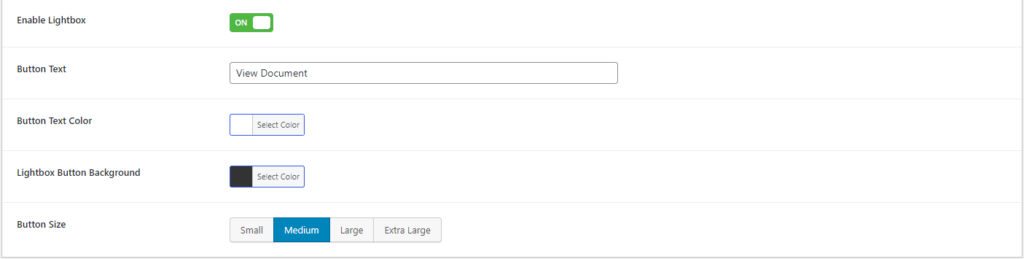
Document Embedder- LightBox Configuration