
Display the Document
From your admin dashboard, click on Add New Doc under the Document Embedder menu.
- Give the title of the post. (optional)
- Upload a document file.
- Copy the shortcode. (You can also copy the shortcode after published)
- Now, publish/save the post.
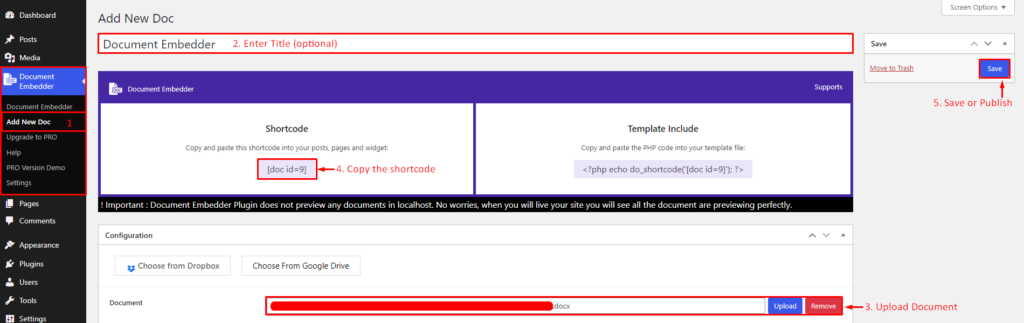
Document Embedder- Add New Document
Paste the shortcode in the post, page, or text widget content. Save and view the content, you will see the Document Embedder is showing the Document.
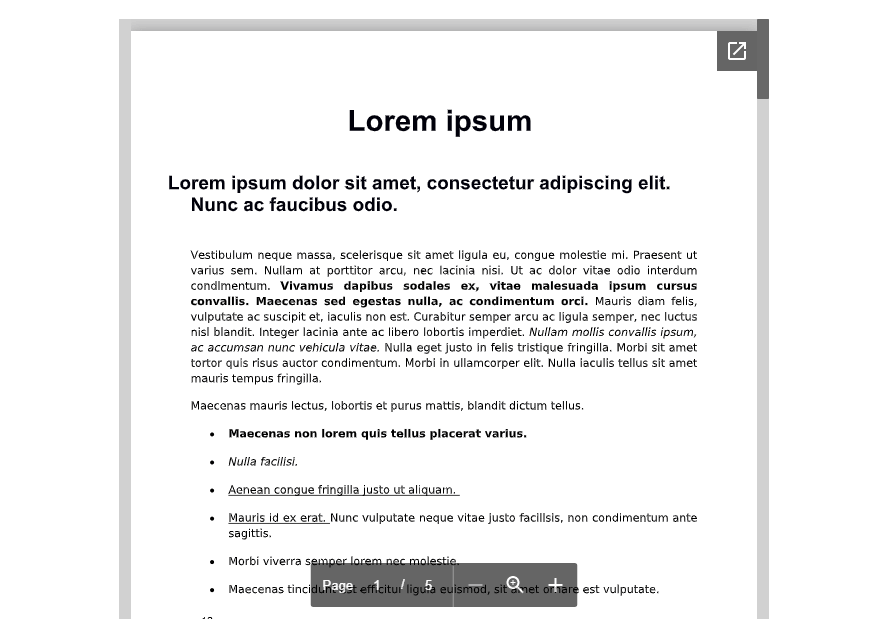
Document Embedder- Preview