
ShortCode
Gutenberg
Add a video player from PDF Poster > Add New Pdf. You will see the player in the Gutenberg editor. After Inserting the PDF file, you will see the settings option in the right sidebar.
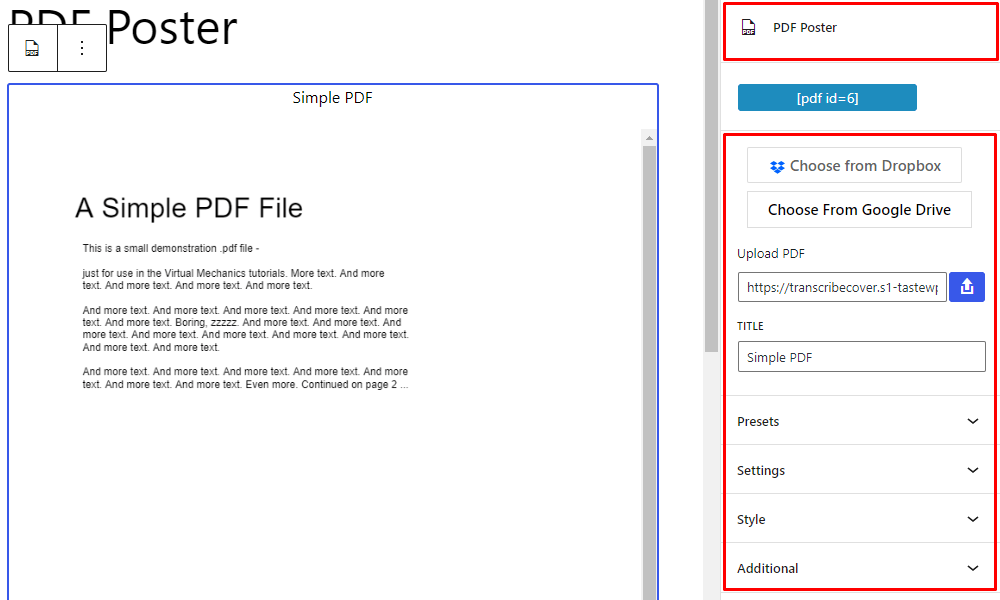
PDF Poster – Gutenberg ShortCode Sidebar Settings
Sources
For the sources upload PDF file or insert PDF file link, and update title for the PDF. Also, choose PDF file from Dropbox or Google Drive(To use this, you have to insert Google and Dropbox APIs in PDF Poster Menu > Settings > Cloue API)
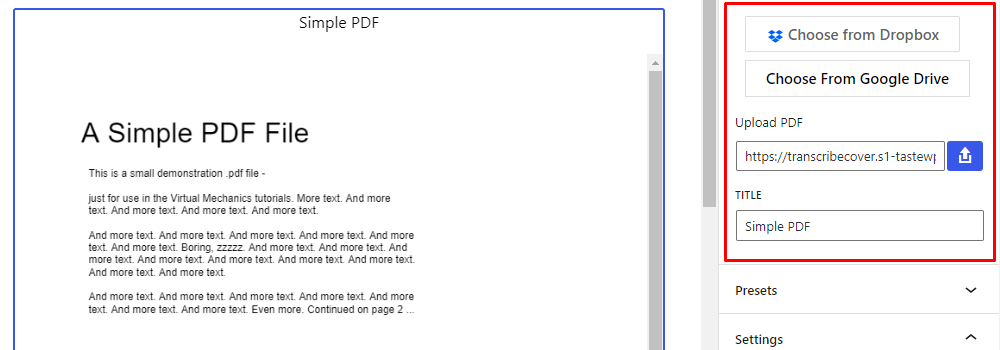
PDF Poster – Gutenberg Sources
Presets
Set Presets to use that preset in next time.
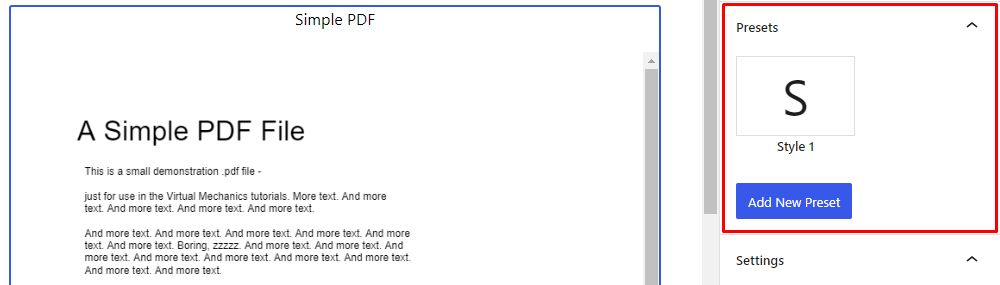
PDF Poster – Gutenberg Presets
Settings
Enable/disable Adobe PDF embedder, Protect my content, Alert, Row PDF, Thumbnails toggle menu, Load the last version of the PDF, show/hide Title on top, Horizontal Scrollbar, set Initial page, Zoom Level
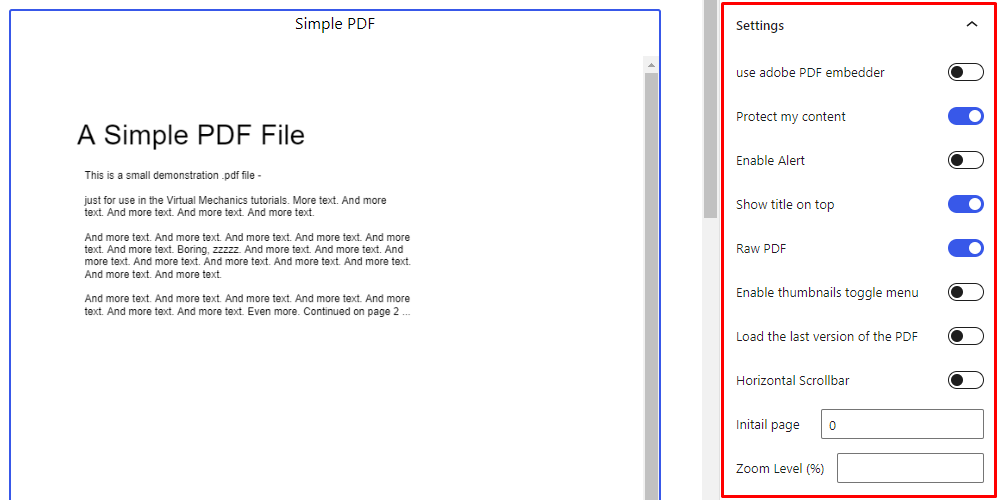
PDF Poster – Gutenberg Settings
Adobe PDF Embeder
First, enable Adobe PDF Embedder to use it. Change Embed Mode, show/hide Print Button, Download Button, Fullscreen Button.
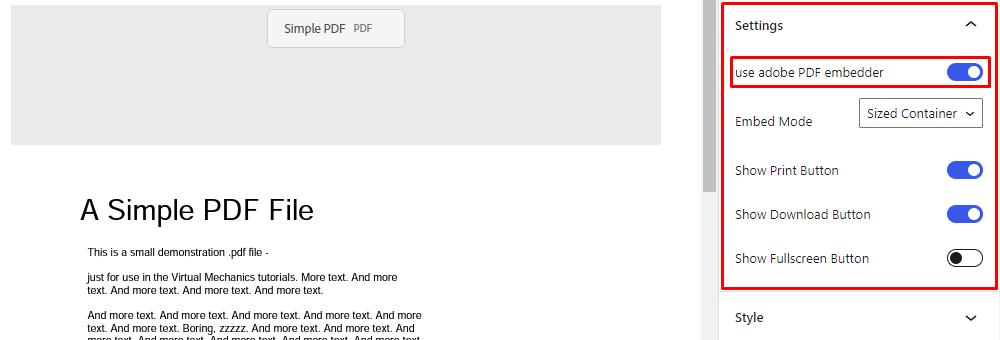
PDF Poster – Gutenberg Adobe Embedder
Style
Set Width, Height, and Font Size of PDF.
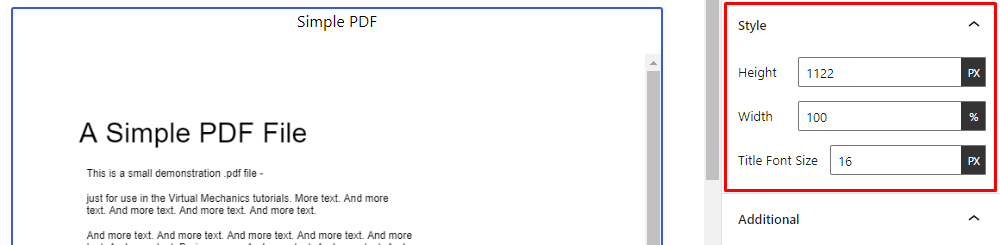
PDF Poster – Gutenberg Style
Additional
Add Class, and add Additional CSS.
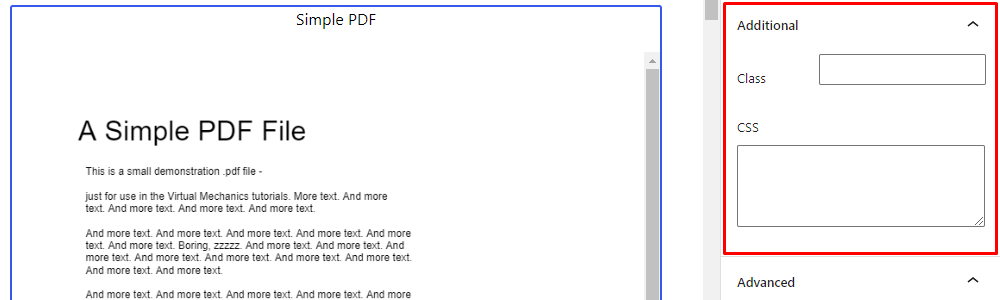
PDF Poster – Gutenberg Additional
ShortCode Classic
First, disable Gutenberg Shortcode Generator to enable Classic Editor. After enabling Classic Editor, Add New Pdf from PDF Poster Menu.
Enter a title, Configure, Copy the shortcode and update the post. Use the shortcode in Post, Page, or Widgets.
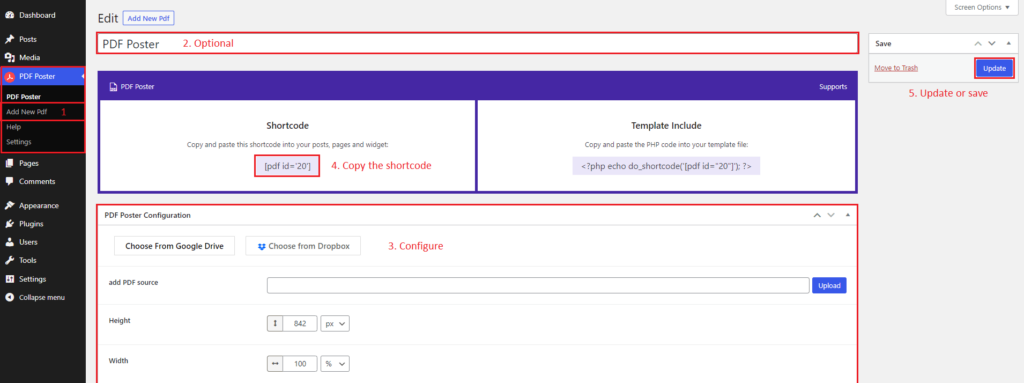
PDF Poster – Classic Editor
Sources
In Configure, add PDF sources from Link, Upload, Google Drive, or Dropbox.

PDF Poster – Classic Sources
Options
For the options of PDF Poster:
Set Width, Height, Jump to Page, and Zoom Level.
Show/hide Only PDF, File Name on top, Download button on top, View Fullscreen button on top, and Horizontal Scrollbar.
Enable/disable Allow Print, Google Doc Viewer, Open in a new window, Protect my content, Thumbnails toggle menu, and Load the last version of the pdf.
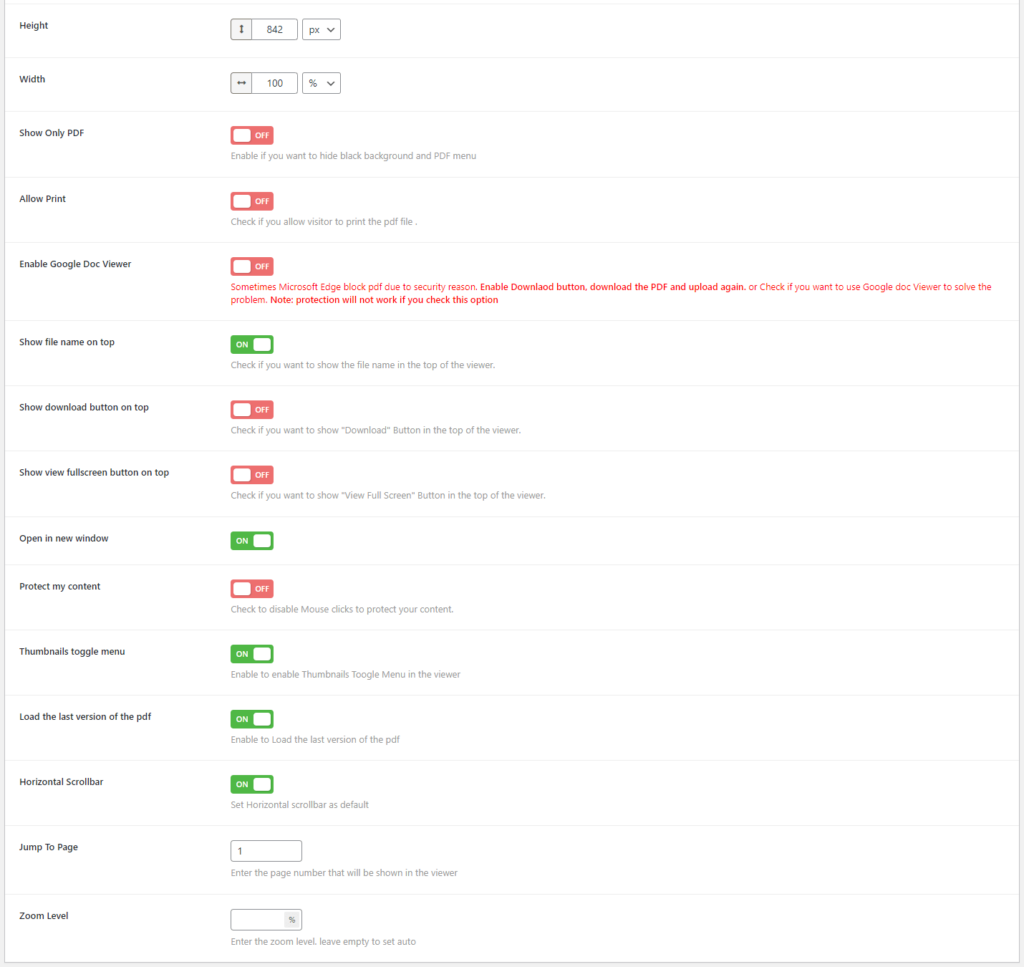
PDF Poster – Classic Options