License Activation
Navigate to Plugins > HTML5 Video Player PRO > Active License.
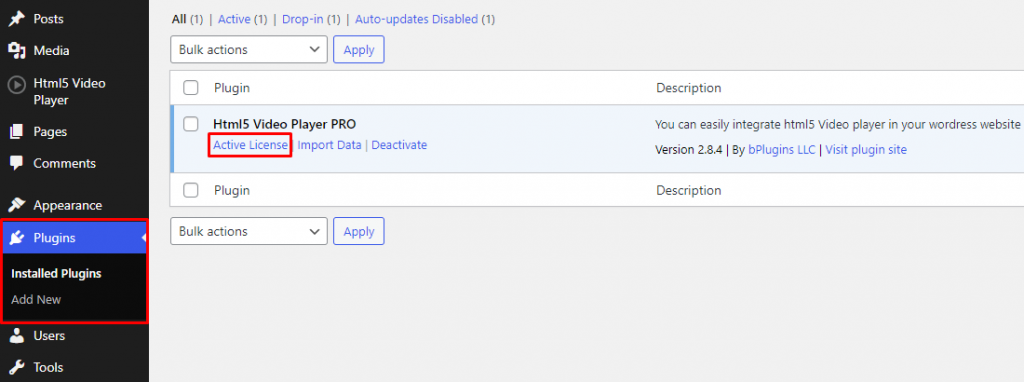
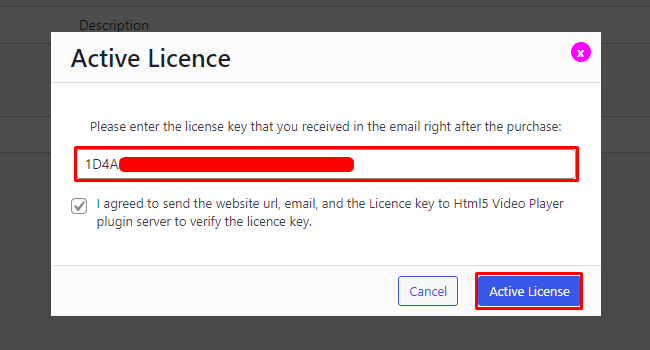
After clicking Activate License you will see a popup, insert your license key on the field and click on Activate License button.

Modified on: Wed, 14 May, 2025 at 5:48 PM
License Activation
Navigate to Plugins > HTML5 Video Player PRO > Active License.
After clicking Activate License you will see a popup, insert your license key on the field and click on Activate License button.
Did you find it helpful? Yes No
Send feedback