How to Install
Install By Upload Plugin
- Download the latest version of the HTML5 Video Player Plugin (.zip file)
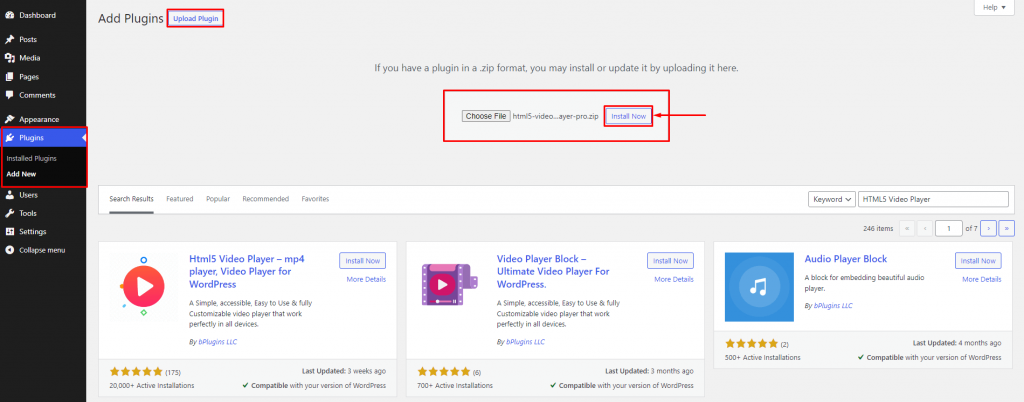
- Login into your WordPress Admin area
- Click on the left side Plugin menu
- Now at top of the page, you can see the Add New button, click on that buttons
- Again at the top of the page, you can see the Upload Plugin button, click on that button for the next process
- Click on “Choose File“
- Now upload the Plugin zip file html5-video-player.zip and click on the “Install Now” button
- Activate the Plugin
Install By Search Plugin
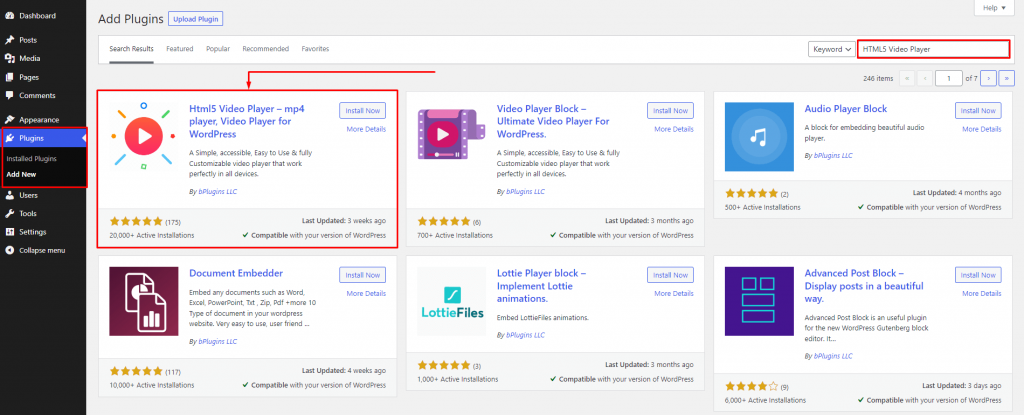
- Login into your WordPress Admin area
- Click on the left side Plugin menu
- Now, Go to the right side and search the Plugin “Html5 Video Player“
- Click to Install Now Button
- Once the Plugin is installed, click on Activate Button
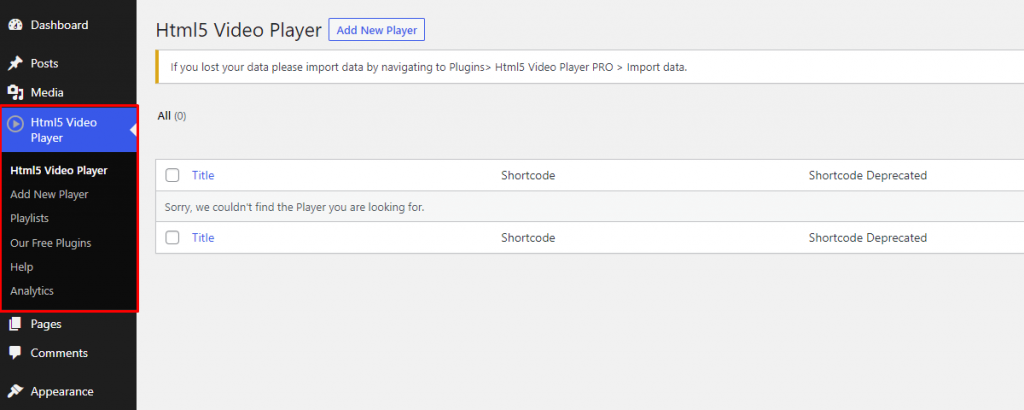
- Now, you can show in your Admin Panel, the new menu is added Html5 Video Player
Install Plugin Using FTP
- Extract the above-selected zip file (html5-video-player.zip). It will create a ‘html5-video-player‘ folder with all Plugin files and folders inside it
- Using your FTP programs like Filezilla or cPanel, upload the non-zipped Plugin folder into the /wp-content/plugins/ folder on your server
- Go to the Dashboard » Plugins » Installed Plugins page and find ‘Html5 Video Player‘ from the Plugin list
- Click on Activate Button to activate the Html5 Video Player Plugin
Now, you can show in your Admin Panel, the new menu is added Html5 Video Player.